Menu
COMPARISON GUIDE

E-Ink tablet vs iPad for note-taking: which should you buy?

Choose E-Ink for a focused notebook and long reading sessions. Choose an iPad when notes are only one part of a wider app, media and communication workflow.

By YeinksPublished October 2, 20269 min read
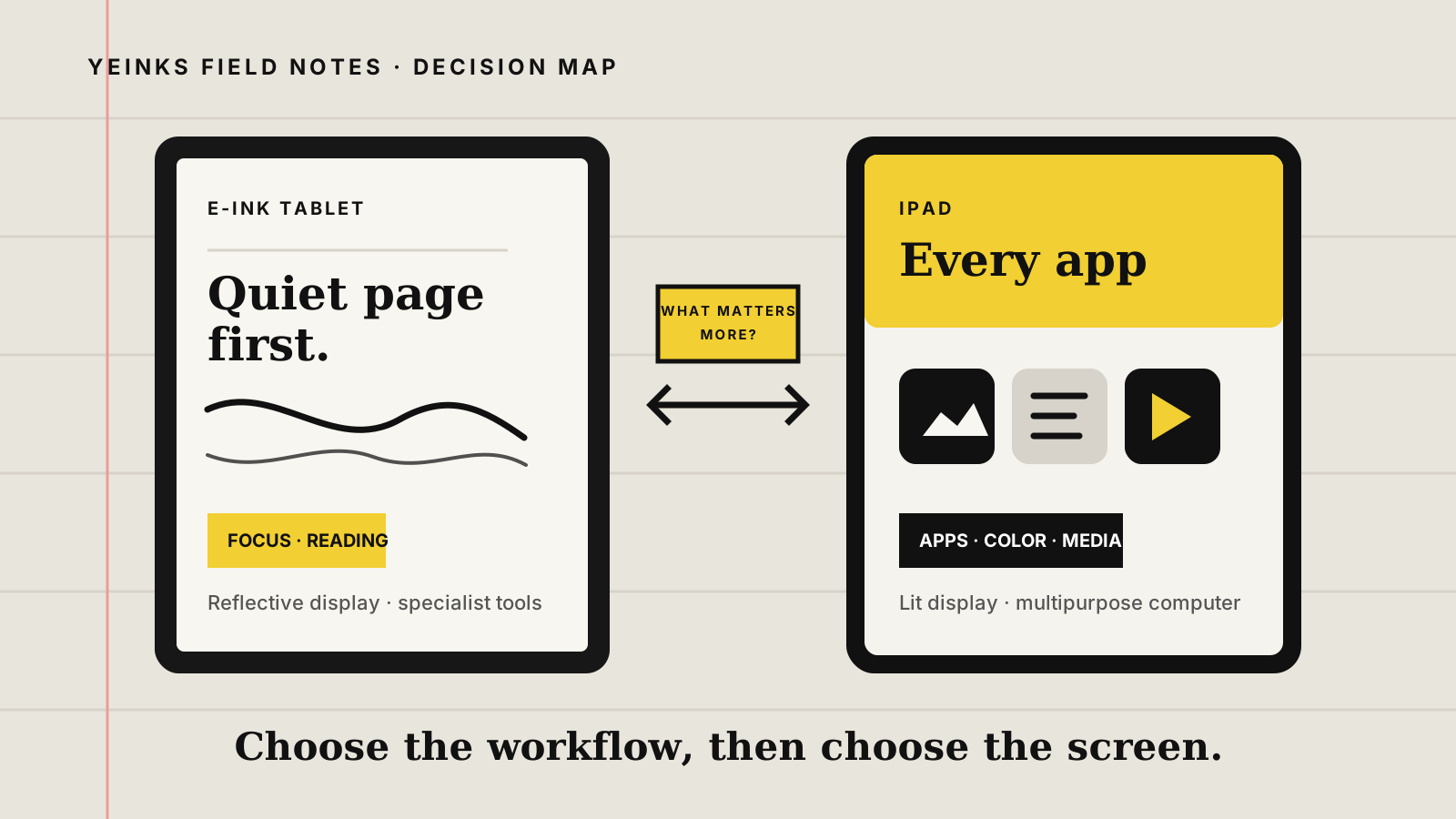
Decision map comparing a focused paper-like E-Ink tablet with an iPad built for apps, color and media
An E-Ink tablet starts with the page. An iPad starts with a full computing platform. Illustration: Yeinks.

THE SHORT ANSWER

An iPad does more. A good E-Ink tablet can help you do less, better.

Buy an iPad if you need one tablet for handwritten notes, web research, video calls, presentations, media and a broad choice of apps. Its bright color display, fast response and mature software make it the more flexible tool.

Buy an E-Ink tablet if most of your time will be spent writing, reading books or reviewing documents. The screen looks more like paper, stays readable in bright sunlight and can support much longer gaps between charges. The catch is important: focused models have few third-party apps, while Android E-Ink models gain apps at the cost of extra complexity and less predictable battery life.

HOW THIS GUIDE WAS MADE

This is a source-led decision guide, not a hands-on test.

Yeinks has not tested an iPad and every E-Ink tablet side by side. We compared current Apple, reMarkable, Supernote and BOOX specifications and support material, then translated the differences into common note-taking tasks. Battery claims are not directly comparable because each company uses different test conditions.

DECISION TABLE

Start with everything that happens around the note

Your regular taskBetter starting pointWhy
Long handwritten notes and focused readingE-Ink tabletThe reflective, paper-like display and narrower software can make long reading and writing sessions feel calmer.
Notes mixed with video calls, web research and office appsiPadIt runs the wider app ecosystem and handles color, animation, cameras, audio and multitasking without E-Ink refresh limits.
PDFs with diagrams, photos or frequent zoomingiPadA fast, full-color screen makes panning, zooming and moving between apps easier.
Books, simple PDFs and outdoor readingE-Ink tabletA reflective display remains clear in bright light and uses very little power while the page is still.
One device for study, entertainment and general computingiPadAn iPad is the safer all-purpose purchase. Most E-Ink tablets are companions, not laptop replacements.
A digital notebook with fewer distractionsE-Ink tabletFocused models deliberately leave out the app store, browser or notifications that make a normal tablet more tempting.

THE REAL DIFFERENCE

This is a screen choice and a software choice.

An iPad uses a fast, illuminated LCD or OLED display, depending on the model. It can show smooth animation, saturated color and video, and it responds immediately when you scroll or zoom. That makes it easy to move from Apple Notes to a browser, a meeting app or a specialist note-taking service.

E-Ink rearranges charged pigment particles to form a page. Once the image is set, it can remain visible with very little power. The display reflects room light rather than relying entirely on light shining through the panel. Page changes are slower, and fast movement can leave temporary traces called ghosting.

Neither approach is universally more comfortable. Some people prefer the quieter reflective page for long reading. Others need an illuminated screen, strong contrast or the accessibility tools available on iPad. Treat comfort as something to try, not a health promise.

E-INK IS NOT ONE THING

Choose the software model before the brand

FOCUSED NOTEBOOK

reMarkable or Supernote

These devices put handwriting, documents and organization first. reMarkable says its tablets deliberately omit an app store and browser. Supernote builds around headings, links and handwritten notebooks. The narrow software is the point, but it rules them out as general-purpose tablets.

ANDROID E-INK

BOOX

Models such as Note Air5 C run Android and include Google Play, so they can install many familiar apps. The E-Ink screen still changes how those apps feel. Video, scrolling and animation are compromises, and individual apps may need display tuning.

READING FIRST

Kindle Scribe

Scribe combines Kindle books, PDFs and notebooks. It is attractive when reading is central, but it is not a route to the iPad app ecosystem. Choose it for the Kindle library and simple writing rather than broad tablet work.

HANDWRITING

E-Ink usually feels more like a notebook. iPad gives the pen more jobs.

Writing feel

Many E-Ink notebooks use textured surfaces and low-latency pen layers to add resistance and keep ink visually close to the nib. An iPad's glass is smoother unless you add a textured protector. Feel varies enough that a shop demo is worth more than a slogan.

Pen features

Apple Pencil support depends on the exact iPad. Current Apple Pencil models add features such as pressure, hover, squeeze or barrel rotation on compatible hardware. Check Apple's compatibility list before buying because the names are easy to mix up.

Note structure

Specialist E-Ink systems can be excellent at handwriting-first organization. iPad wins on app choice: you can select a notes app around handwriting recognition, audio, collaboration, cloud storage or a school and workplace platform.

PDFS AND RESEARCH

The iPad is quicker. E-Ink is calmer.

iPad for active research

Apple's Preview app can highlight, underline, sign and annotate PDFs with Apple Pencil or touch. Fast zooming, full color and windowed apps are useful when a paper sits beside a browser, reference manager or chat.

E-Ink for page-by-page reading

A reflective screen works well for sustained reading, especially outdoors. Large E-Ink tablets can show academic papers near their intended scale, while smaller models rely more on margin crop, landscape view and zoom.

Check the exit route

Before buying either, test how an annotated file leaves the app. Look for ordinary PDF export, reliable cloud sync and readable annotations on another device. A lovely pen is less useful if your marked-up document becomes trapped.

REPRESENTATIVE CURRENT HARDWARE

Three devices show why simple category claims fail

DeviceDisplay and weightSoftware shapePublished battery information
11-inch iPad Air10.86-inch illuminated Liquid Retina display; 464g for the Wi-Fi modeliPadOS, App Store, cameras, audio and windowed multitaskingApple rates up to 10 hours of web use on Wi-Fi or video
reMarkable Paper Pro11.8-inch color E-Ink display with reading light; about 525gFocused reMarkable OS with no app store or web browserreMarkable claims up to 14 days of regular use under its stated pattern
BOOX Note Air5 C10.3-inch color E-Ink display with front light; about 430gAndroid 15 with Google Play and BOOX display controlsBOOX lists a 3,700mAh battery but no universal runtime

These are examples, not a three-device ranking. The iPad Air shows the multipurpose route. Paper Pro shows the focused route. Note Air5 C shows the compromise between an Android tablet and an E-Ink notebook.

BATTERY AND DISTRACTION

E-Ink's advantage is real, but your behavior still matters.

“Every E-Ink tablet lasts for weeks.”

Focused devices can approach that claim under light, defined use. Android apps, Wi-Fi, front lights and faster refresh modes can shorten it sharply. Look for a manufacturer's test pattern, not only the largest number on the page.

“An iPad is automatically distracting.”

Notifications and entertainment are available, but they are controllable. Focus modes, app limits and a notes-only home screen can help. E-Ink makes distraction harder by capability; iPad asks you to manage it by choice.

TRY THIS BEFORE BUYING

Run a one-week workflow audit

  1. List the apps used during every note-taking session, including the browser, video calls, email, books and cloud storage.
  2. Mark the tasks that genuinely need fast color, video, a camera or a specific iPad app.
  3. Count how often you read or handwrite for longer than 30 minutes without switching tasks.
  4. Export one representative annotated PDF from the device or app you are considering.
  5. If the required apps dominate, choose iPad. If uninterrupted page work dominates, choose E-Ink.

BOTTOM LINE

Buy an iPad as your only tablet. Buy E-Ink as your deliberate notebook.

An iPad is the dependable answer when you need broad software, media, communication and color alongside handwriting. E-Ink wins when reading and writing are the work, not just two apps among twenty.

If you still want both flexibility and a reflective display, an Android E-Ink tablet is the middle path. It is not an iPad with longer battery life. It is an E-Ink device that can run more apps, with refresh, compatibility and setup compromises attached.

For device-specific recommendations, continue with our best E-Ink tablets for note-taking, student guide or work and meetings guide.

Primary sources checked

Checked October 2, 2026. Specifications, software and compatibility can change, so confirm the exact model and pen before ordering.

Apple iPad Air technical specifications ↗Apple Pencil compatibility ↗Apple Preview PDF annotation guide ↗Apple iPad windowed multitasking guide ↗reMarkable Paper Pro features and specifications ↗reMarkable platform and app limitations ↗Supernote Manta official product information ↗BOOX Note Air5 C specifications ↗