Menu
WORK BUYER'S GUIDE

Best E-Ink tablet for work and meetings

The best work tablet is the one that gets notes out of a meeting and into the system your team already uses. Start with that handoff, then compare writing, security, apps and portability.

By YeinksPublished September 25, 202611 min read

THE SHORT ANSWER

reMarkable Paper Pro is the safest focused-work default. Supernote Manta is better for deeply organised handwritten notes.

Choose reMarkable Paper Pro if you want a simple meeting and document workflow with clearly documented device encryption. Choose Supernote Manta when links, headings and action items inside your notebooks matter more than color or a front light. BOOX Note Air6 C is the flexible option for workplace apps, while Kindle Scribe makes sense when reading is the main job. None should hold confidential material until your IT policy approves the device, account and cloud route.

HOW THIS GUIDE WAS MADE

These are evidence-led recommendations, not a claim of office testing.

Yeinks has not tested these four devices side by side in a workplace. The recommendations use current manufacturer specifications, support documentation and the evidence gathered for our existing reviews. Software, subscriptions and employer policies change. Test the exact route from a handwritten page to your team system before relying on any device.

DECISION TABLE

Match the tablet to the part of work that slows you down

Your main jobBest starting pointWhyCheck before buying
Focused meetings and document reviewreMarkable Paper ProSimple software, large color canvas and clear import and export routesWhether your cloud policy allows a reMarkable account and Connect features
Long-running projects and linked notesSupernote MantaHeadings, links, keywords and tasks make handwritten notebooks easier to revisitNo front light, and confirm security requirements in writing
OneNote, cloud apps and mixed file workBOOX Note Air6 CAndroid 16, third-party apps, split-screen tools and broad file supportYour required apps remain usable on a slower E-Ink display
Reports, books and occasional meeting notesKindle ScribeReading stays central and notebooks can be exported to OneNoteThe export-only workflow is enough for your team
Confidential or regulated workYour IT-approved optionEncryption, identity controls and retention rules matter more than pen feelWritten approval for the device, cloud, apps and export destination
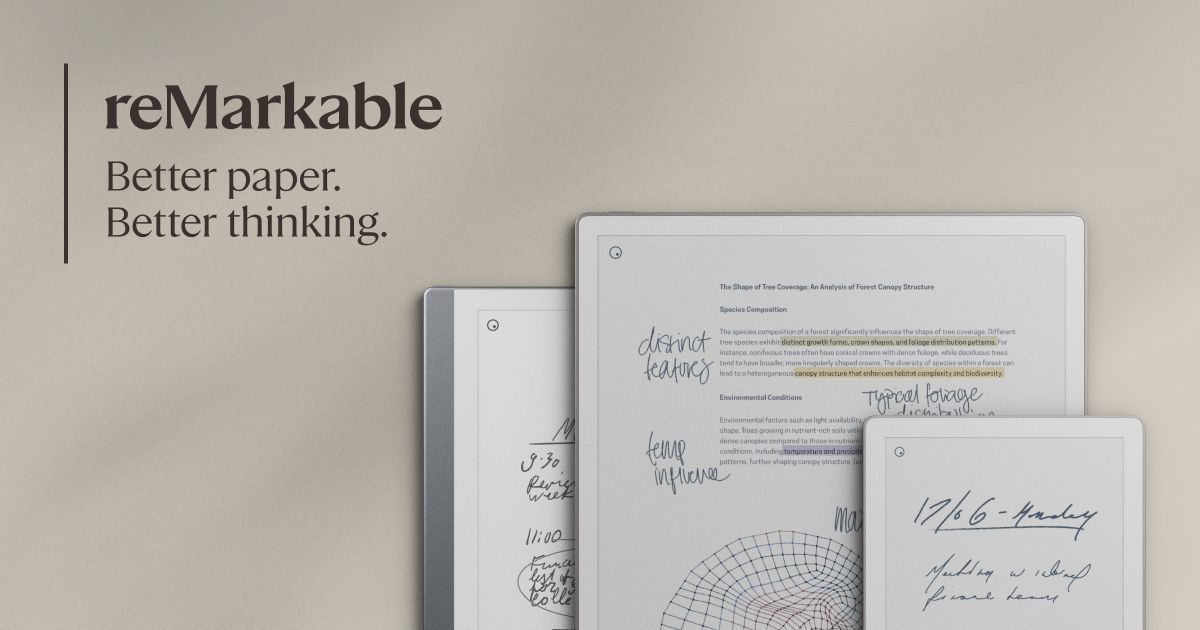
01reMarkable Paper Pro shown as a workplace E-Ink tablet option
Official product image: reMarkable Paper Pro
BEST FOCUSED WORK DEFAULT

reMarkable Paper Pro

Choose it when meetings, handwritten thinking and document review matter more than installing workplace apps on the tablet.

Good for work
  • 11.8-inch color canvas and reading light
  • Google Drive, OneDrive and Dropbox file integration
  • Documented on-device encryption and a focused interface
Check first
  • No conventional app store
  • Large and relatively heavy for standing meetings
  • Some cloud and app features require Connect
Read the full reMarkable Paper Pro review →
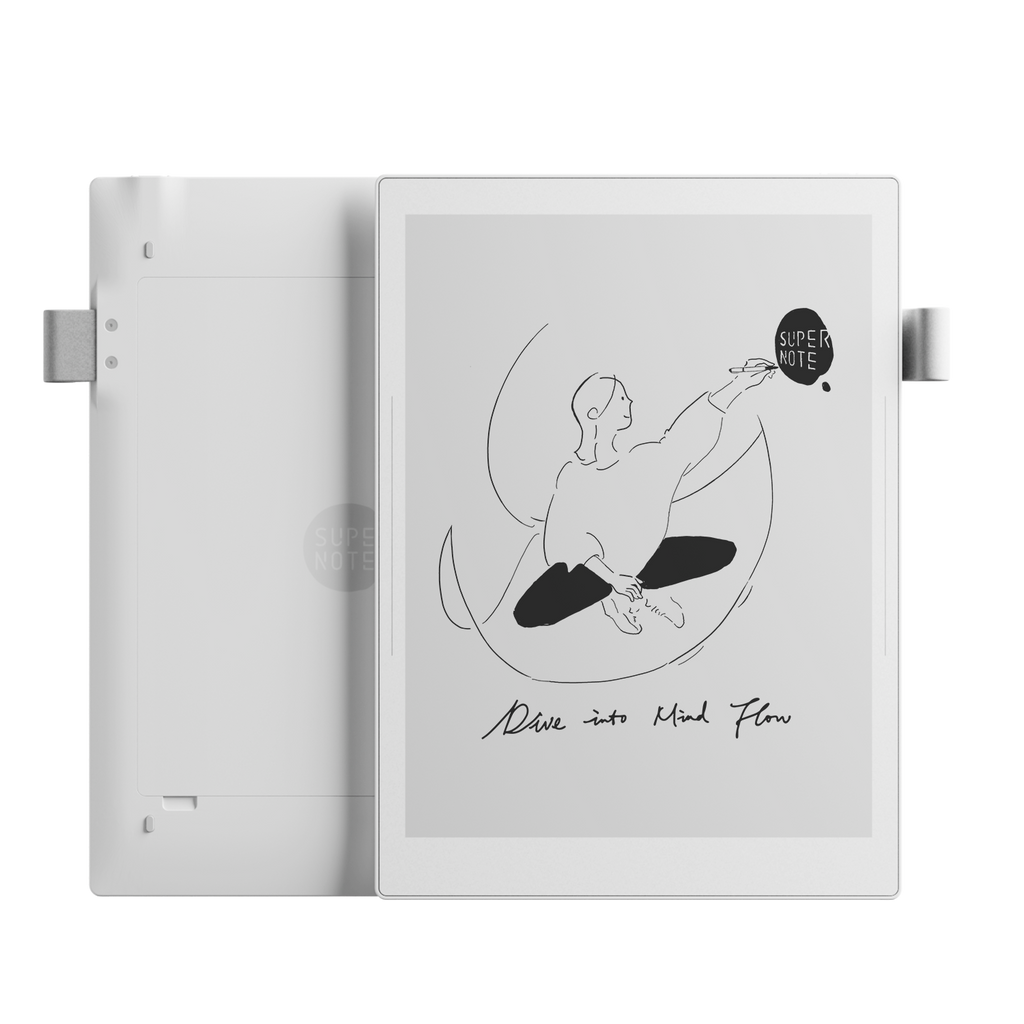
02Supernote Manta shown as a workplace E-Ink tablet option
Official product image: Supernote Manta
BEST FOR ORGANISED MEETING NOTES

Supernote Manta

Choose it when headings, links and handwritten action items need to turn months of meeting notes into a usable knowledge system.

Good for work
  • Headings, links, keywords and note-linked to-dos
  • 10.7-inch 300ppi monochrome display
  • Replaceable battery and expandable storage
Check first
  • No front light or color
  • Narrower app support than BOOX
  • Public storage-encryption detail is limited
Read the full Supernote Manta review →
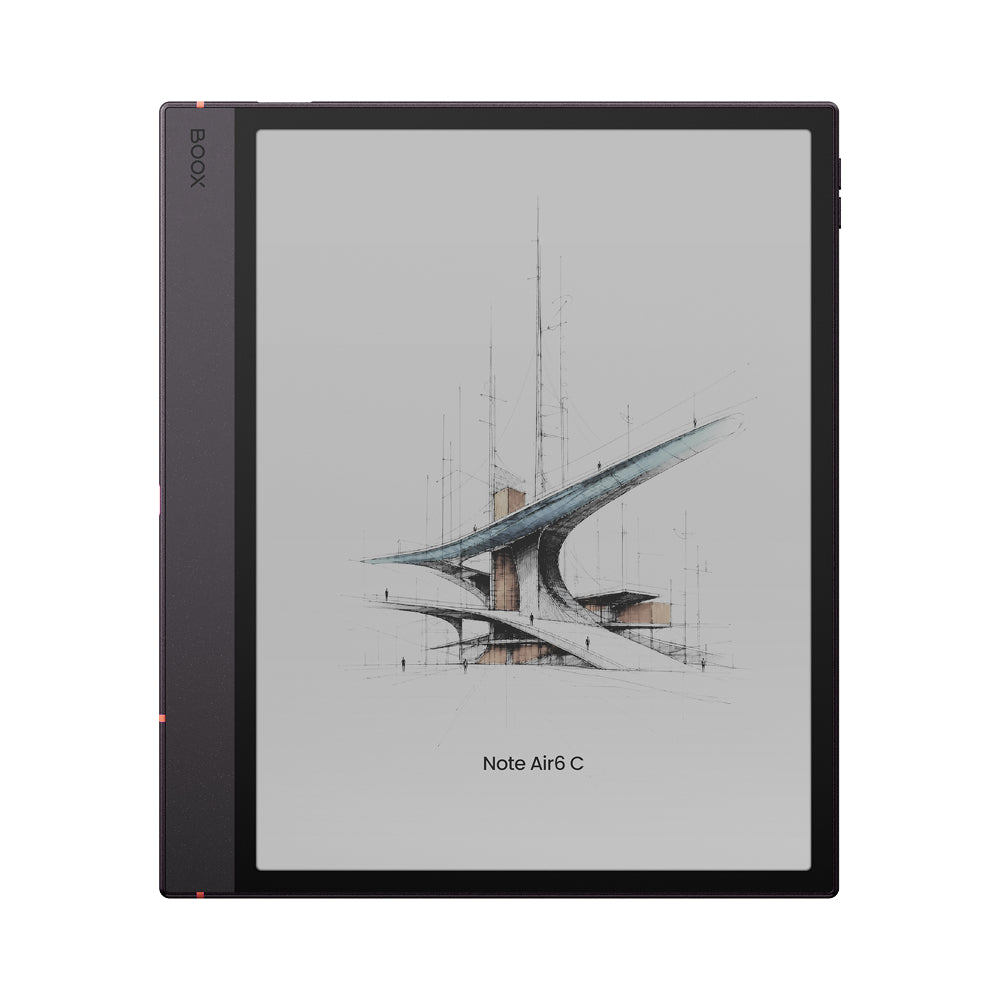
03BOOX Note Air6 C shown as a workplace E-Ink tablet option
Official product image: BOOX Note Air6 C
BEST FOR APPS AND MIXED WORK

BOOX Note Air6 C

Choose it when your workflow depends on Android apps, color documents or split-screen reference work and you accept more setup.

Good for work
  • Android 16 and third-party app support
  • 10.3-inch color display with a front light
  • Fingerprint unlock, microSD and broad file support
Check first
  • More settings and potential distractions
  • App quality varies on E-Ink
  • New model with no Yeinks hands-on test
Check the current official specification ↗
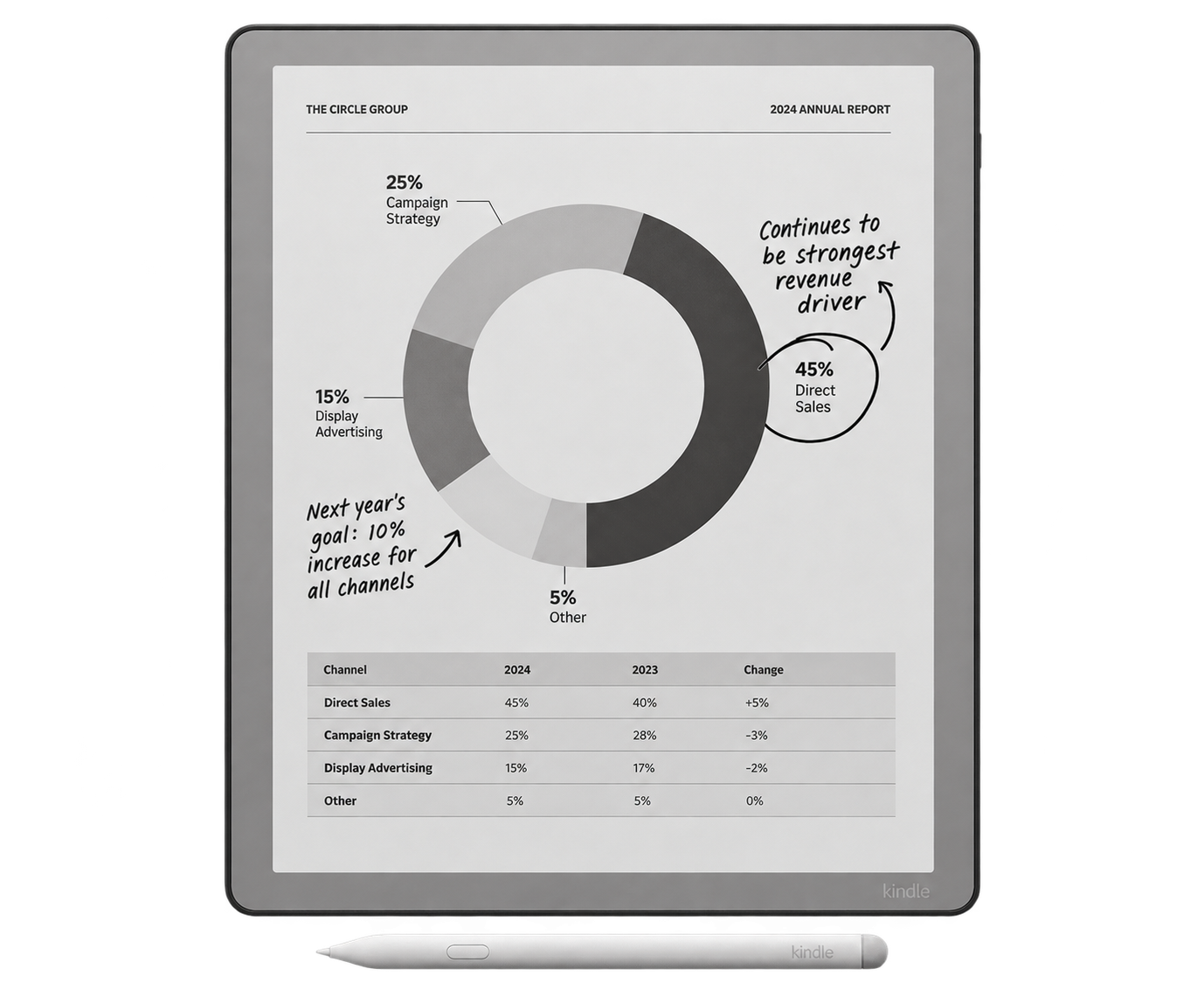
04Kindle Scribe shown as a workplace E-Ink tablet option
Official product image: Kindle Scribe
BEST WHEN READING COMES FIRST

Kindle Scribe

Choose it when reports and Kindle books dominate, with meeting notebooks acting as a useful extra rather than the whole system.

Good for work
  • Strong Kindle reading workflow
  • Notebook export to Microsoft OneNote
  • Front-lit models and simple everyday operation
Check first
  • Less flexible notebook organisation
  • OneNote is an export, not a live editable notebook sync
  • Amazon account and cloud workflow need IT approval
Read the full Kindle Scribe review →

THE MEETING TEST

A good notebook must survive the ten minutes after the call.

01Capture

Open the right project page quickly and write without fighting menus.

02Find

Mark decisions and names so they are retrievable next week.

03Act

Move action items into the calendar, task list or team system.

04Share

Export a readable copy without flattening away the useful context.

If a device handles only the first step, it may replace paper but still leave you with manual admin.

FOCUSED WORK

reMarkable keeps the workflow narrow on purpose.

Paper Pro has no conventional app store. That is a limitation if you want Slack, Teams or a specialist app on the tablet, but it is also the reason the device is easy to understand in a meeting. Notes, PDFs, folders, tags, handwriting search and export live in one consistent system.

reMarkable documents imports and uploads through Google Drive, Microsoft OneDrive and Dropbox. Its mobile and desktop apps extend the workflow, while Connect adds features including unlimited cloud storage, handwriting search and app-based note editing. Check the current subscription terms before treating those features as part of the purchase.

The company also publishes unusually specific security information for Paper Pro. Its business security guide describes block-level device encryption with a PIN-protected key, plus encryption at rest and in transit. That does not automatically satisfy your employer's policy, but it gives an IT team something concrete to assess.

NOTE ORGANISATION

Supernote turns handwriting into a navigable project record.

Manta's advantage is not a long app list. It is the way a notebook can gain structure after you write. Supernote supports headings, keywords, links and stars, and a lassoed handwritten item can become a task with a due date. For weekly project meetings, that can be more useful than color.

The trade-offs are clear. Manta has a 10.7-inch, 300ppi monochrome display with no front light. Its battery and motherboard are designed to be replaceable, and storage can be expanded by microSD. It suits someone who works in decent light and wants to keep a notebook for years.

Security needs more care. Supernote documents a six-digit screen lock and password-protected files, but its public material does not provide the same full storage-encryption detail as reMarkable's Paper Pro guide. A password is not proof of encryption at rest. Our Supernote encryption explainer sets out the questions to ask before storing sensitive work.

APP-BASED WORK

BOOX fits around existing apps, with the usual Android compromises.

Note Air6 C runs Android 16 and supports third-party apps. That makes it the most plausible choice here when OneNote, Outlook, a reference manager or a company-approved cloud app must live on the tablet. Its 10.3-inch Kaleido 3 screen adds muted color, the front light helps in changing rooms, and microSD support gives local files more space.

Access is not the same as a good experience. Workplace apps are usually designed for fast LCD screens, animations and frequent scrolling. E-Ink can make those interfaces feel slower or produce more visible refresh artifacts. BOOX's refresh controls help, but every important app deserves a real test under the returns policy.

Note Air6 C arrived shortly before this guide. BOOX says it is faster than Note Air5 C and lists Android 16, 6GB of RAM, fingerprint recognition and broad document support. Yeinks has not tested those claims in person, so this is the recommendation that most needs a trial.

READING-FIRST WORK

Kindle Scribe is useful when documents outweigh project management.

Kindle Scribe remains the easy answer for someone who reads Kindle books, long reports and personal documents, then takes ordinary meeting notes on the same device. Amazon's current Scribe models include a Workspace that can group books, documents and notebooks.

Amazon also supports sending Scribe notebooks to Microsoft OneNote as handwriting images, converted text or both. It is a one-way export, not a live OneNote notebook running on the Kindle. That distinction matters if colleagues expect pages to update automatically.

Some notebook features need an internet connection and Amazon account. Amazon says Scribe notebooks are backed up to its cloud when sync is on, and handwritten annotations are currently accessible only across Scribe devices. Ask IT before connecting a workplace Microsoft account or placing client material in that route.

TOTAL WORKPLACE COST

The tablet price is only the first line.

Hardware

Add the pen, protective cover and any keyboard you genuinely need. Compare the carried weight with the full case attached.

Services

Check cloud subscriptions, paid Android apps and storage. A feature shown in a demo may not be included forever.

Admin

Allow time for export, filing and security review. A cheaper tablet can cost more if every meeting creates manual cleanup.

BEFORE CHECKOUT

Run one realistic workday on paper first

  1. Write down the three systems that must receive your notes, such as OneNote, OneDrive, Google Drive or a task manager.
  2. Choose one typical meeting, one difficult PDF and one confidential-data scenario.
  3. Check the manufacturer documentation for import, export, account and subscription requirements.
  4. Ask IT whether the device, cloud location, apps and lock method meet policy.
  5. During the returns window, export a marked document and a meeting page, then open both on a colleague's computer.

For a broader view, read our best E-Ink tablets for note-taking. If dense documents are the real problem, the best E-Ink tablets for PDFs guide compares screen sizes and annotation workflows.

Official information checked

Accessed September 25, 2026. Manufacturer pages describe their own products, so features and security claims should still be checked against your employer's requirements.

reMarkablePaper Pro features, integrations and specifications ↗reMarkableBusiness security guide ↗SupernoteManta specifications and repairable hardware ↗SupernoteNote-linked tasks and due dates ↗BOOXNote Air6 C current specifications ↗AmazonKindle Scribe to Microsoft OneNote FAQ ↗AmazonKindle Scribe sync and notebook backup ↗