Menu

WEB BROWSING GUIDE

Do E-Ink tablets have web browsers?

Some do, but “has a browser” can mean anything from a full Android setup to a simple article reader. The right choice depends on whether you want occasional research or expect the web to behave like it does on an iPad.

BY PHIL WHITFORD28 OCTOBER 20268 MIN READ
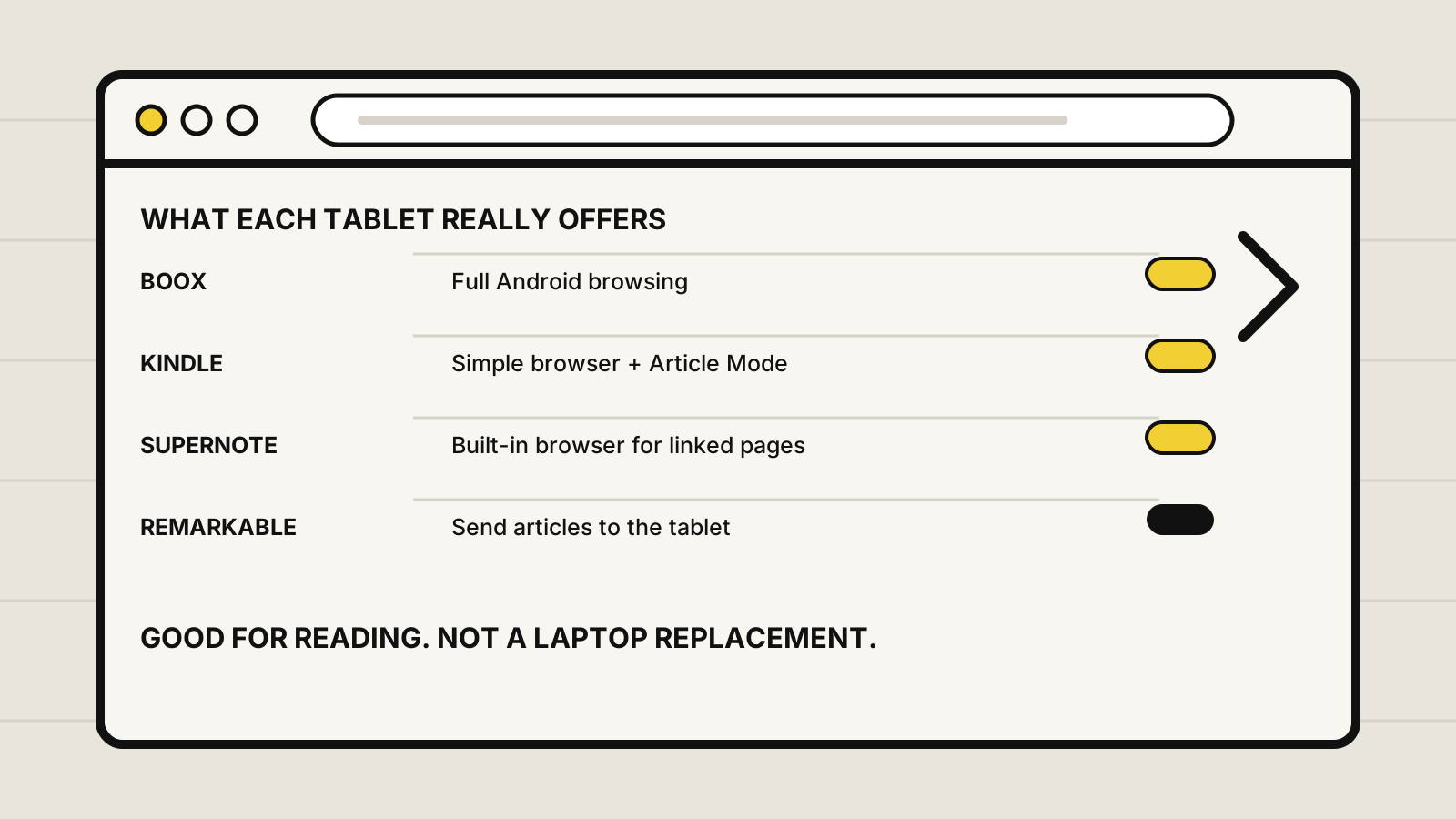
Comparison of web browsing options on BOOX, Kindle Scribe, Supernote and reMarkable tablets
Browser support ranges from full Android browsing to a deliberate send-and-read workflow. Illustration: Yeinks.

QUICK ANSWER

BOOX, Kindle Scribe and Supernote can browse the web. reMarkable cannot.

BOOX is the best fit if browsing is part of your regular workflow because its Android tablets combine a built-in browser with installable alternatives. Kindle Scribe and Supernote can open websites, but they make more sense for light research and reading. reMarkable skips an on-device browser and asks you to send articles to the tablet instead.

None of these is a great replacement for a laptop or conventional tablet when a site relies on video, animation, complex dashboards or rapid scrolling. E-Ink is at its best when the page stops moving and you start reading.

AT A GLANCE

Browser support is not the same thing as browser comfort

PlatformBrowser routeBest forMain limit
BOOXYes, plus other Android browsersResearch, reading, web apps with realistic limitsFrequent scrolling and motion still expose E-Ink trade-offs
Kindle ScribeYes, built inArticles, reference pages and light searchesLimited downloads and a reading-first interface
Supernote Manta and NomadYes, built inOpening links and reading mostly static pagesNot designed as a broad tablet-app workstation
reMarkable paper tabletsNo general browserArticles sent from another deviceYou cannot freely browse from the tablet

This is a documentation comparison, not a side-by-side browser speed test. Website compatibility can change with firmware, browser updates and the site itself.

THE FLEXIBLE OPTION

BOOX is closest to a normal tablet browser

Current BOOX tablets run Android and include NeoBrowser, which BOOX describes as its browser designed for E-Ink screens. BOOX's official support team still documents NeoBrowser controls in current firmware. That matters because you can use the built-in option or install another compatible browser when a particular site works better there.

This makes BOOX the clearest choice for online research, reading newsletters, opening cloud tools and checking web-based services. It is also the platform most likely to tempt you into expecting too much. A browser may load a rich page successfully while menus, sticky panels, animations and constant scrolling still feel slower or leave more ghosting than they would on an LCD or OLED tablet.

Choose a faster refresh mode for motion-heavy pages and a cleaner, higher-quality mode for long-form reading. The trade-off is usually between speed, image clarity and residual marks from previous frames. If a web app is central to your work, check that exact service on the exact BOOX model before buying.

01

Kindle Scribe

Amazon's current Scribe guide documents a web browser with JavaScript, SSL, cookies, bookmarks, history and an Article Mode that strips a page into a simpler text column. That makes it genuinely useful for reading and quick reference.

The download list is narrow, and the interface is still built around books and notebooks. Treat the browser as a useful extra rather than the reason to buy a Scribe.

02

Supernote

Supernote's current Manta and Nomad changelog explicitly refers to webpages opening in the built-in browser. Links in notes and documents can take you to online material without turning the device into a general entertainment tablet.

That restraint suits a focused notebook. It is less suitable if you need several browser tabs, demanding web apps or a broad extension ecosystem.

03

reMarkable

reMarkable takes the opposite approach. Its official Read on reMarkable extension sends a web article from Chrome as an EPUB or editable notebook, while its web app handles library access and imports on another device.

This is excellent for distraction-free reading after you have chosen the material. It is the wrong system if you need to search, follow links and discover sources directly on the paper tablet.

WHY IT FEELS DIFFERENT

Web pages make an E-Ink screen work hard

E-Ink pixels hold a static image without power, then update when the picture changes. That is perfect for a page of text. A modern website can ask the display to redraw while you scroll, animate controls, load ads, move menus and play video.

E Ink says its display modules support different update modes and that faster modes trade away some of the technology's power advantage. That is why browser-focused devices offer refresh controls, and why a static article can feel calm while a busy dashboard feels clumsy on the same tablet.

The practical rule

Text-first pages, reference material and deliberate searches suit E-Ink. Video calls, drag-and-drop tools, live maps, animation-heavy sites and rapid multitasking still belong on a laptop or ordinary tablet.

BUYING DECISION

Pick the browser route that matches the job

Buy BOOX if the web is part of the workflow

You want online research, browser choice, cloud tools or occasional web apps, and you accept Android complexity plus E-Ink refresh compromises.

Buy Kindle Scribe for reading with a useful browser extra

Your main job is books, documents and notes, but you value a simple browser and a clean Article Mode for occasional pages.

Buy Supernote for linked notes

You want web links to support a notebook system, not a browser-first tablet. The notes, headings, links and long-term workflow are the main event.

Buy reMarkable to remove browsing

You prefer choosing an article on another device, sending it over and reading without open tabs. The missing browser is a feature, not an oversight.

BEFORE YOU BUY

Test the exact website, not the word “browser”

A product page saying “browser” does not promise that your workplace login, course portal, password manager or favorite publication will behave perfectly. Authentication, pop-ups, downloads, browser engine versions and regional services all matter.

If one site is essential, ask the manufacturer or a retailer with a return policy, then test sign-in, navigation, downloads and any required two-factor authentication. For work accounts, also check your organization's security rules before entering credentials on a personal tablet.

For a wider look at software, read our guide to apps on E-Ink tablets. If you mainly need files rather than websites, compare Google Drive, Dropbox and OneDrive support. Travelers should also prepare for public Wi-Fi and offline access before leaving home.

PRIMARY SOURCES

What we checked

Sources checked 28 October 2026. Yeinks has not run a controlled browser performance test across these four platforms, so we do not rank loading speed or site compatibility.