Books and long articles
Kaleido 3 keeps black text sharp and page turns brisk. If color is occasional, the softer 150ppi color layer matters less than the darker page background.

Kaleido 3 is the practical choice for speed, sharp black text and a wider device range. Gallery 3 produces color inside the ink layer, but current devices trade that richer approach for more visible color refreshes.
THE SHORT ANSWER
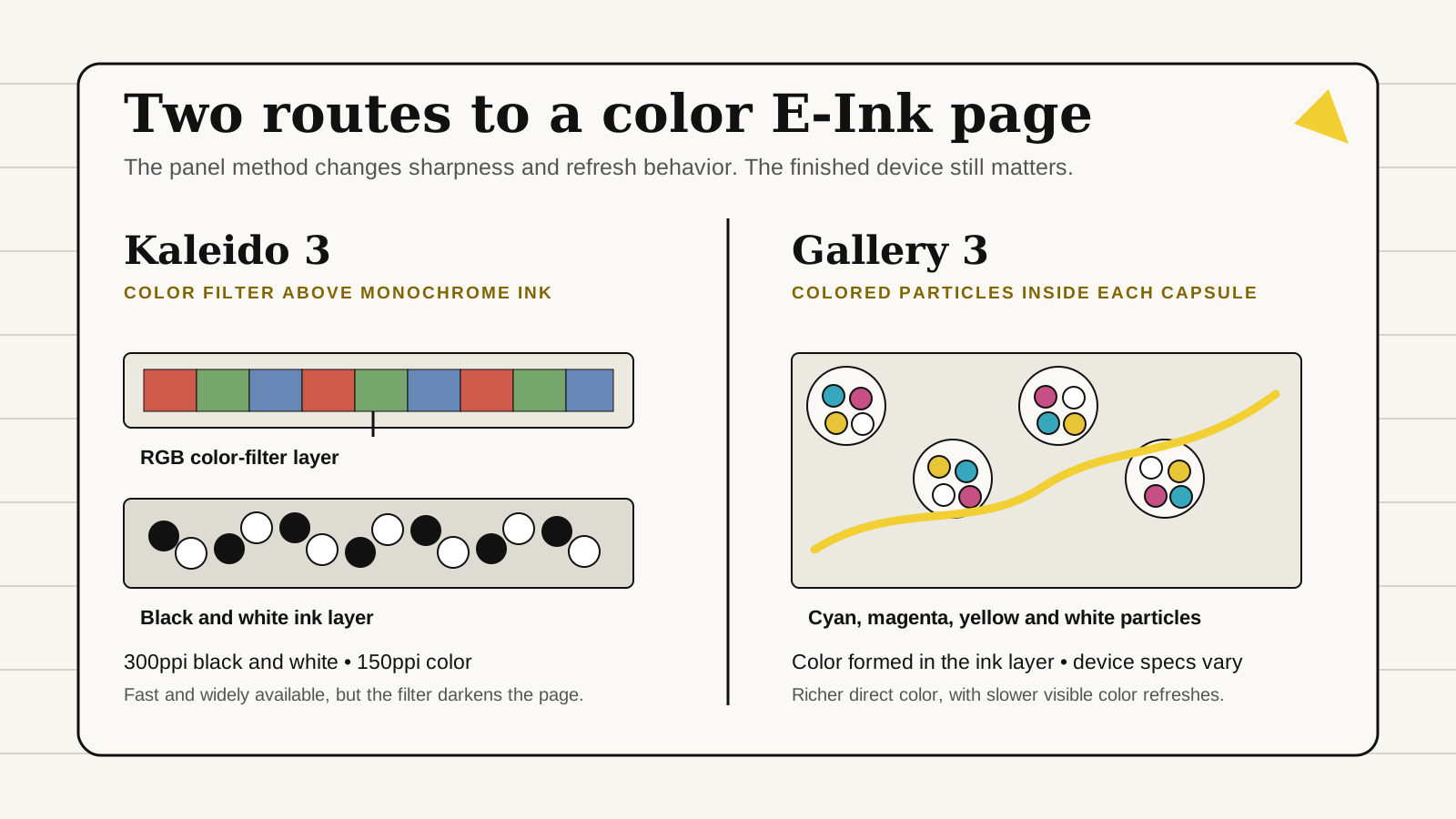
Kaleido 3 is easier to recommend when you want quick page changes, sharp black text or a choice of Android apps and device sizes. It places a red, green and blue color filter above a monochrome E-Ink layer. The trade-off is a darker-looking page and lower published resolution for colored content.
Gallery 3 forms color with cyan, magenta, yellow and white particles in the ink layer. That can give colored writing and diagrams more depth, but color changes take longer and can flash while the page settles. reMarkable Paper Pro shows what the technology can do in a focused notebook, not what every future Gallery 3 product will look like.
HOW THIS GUIDE WAS MADE
Yeinks compared E Ink's technology pages with current specifications from reMarkable and BOOX. We have not measured brightness, color accuracy, latency or battery life on these devices. Published panel figures are useful boundaries, but cover glass, front lighting, controller, waveform and software change the finished result.
DECISION TABLE
| Your priority | Better starting point | Why |
|---|---|---|
| Fast page turns, scrolling and Android apps | Kaleido 3 | Its filter-based color keeps the underlying monochrome panel responsive, and manufacturers can add faster refresh controls. |
| Colored handwriting and richer document markup | Gallery 3 | Colored particles form the image directly, giving color more presence without a separate RGB filter over the page. |
| The sharpest small black text | Kaleido 3 | Current panels commonly specify 300ppi for black-and-white content, although color content is rendered at 150ppi. |
| One proven, focused color notebook | Gallery 3 | reMarkable Paper Pro is the clearest current example, but the choice of finished devices remains narrow. |
| A wider choice of sizes, brands and software | Kaleido 3 | Kaleido 3 appears across readers and notebooks from several manufacturers, including app-focused Android models. |
KALEIDO 3
E Ink describes Kaleido as a monochrome ink layer under a printed Color Filter Array. The filter divides the reflected light into red, green and blue subpixels. Black-and-white content can use the underlying panel at up to 300 pixels per inch, while color content is specified at 150ppi.
That split explains the familiar Kaleido look. Body text can appear crisp, but small colored labels and illustrations look softer. The filter also absorbs some reflected light, so the page usually looks grayer than a comparable monochrome panel. A front light can improve readability indoors, but it does not turn the display into a bright LCD.
E Ink specifies 4,096 colors and 16 grayscale levels for Kaleido 3. Those colors are useful for highlights, charts, textbooks and comics. They remain muted, which can be pleasant for reading but unsuitable for judging photographs, branding or print color.
GALLERY 3
Gallery 3 uses cyan, magenta, yellow and white particles rather than a color filter over a black-and-white panel. Electric fields move those particles into view to build the requested color. The method avoids a separate RGB filter and can give colored ink more presence.
The price is time. E Ink publishes reference update figures of 350 milliseconds for black and white, 500ms for fast color, 750 to 1,000ms for standard color and 1,500ms for its best-color mode. Those are technology figures, not guaranteed timings for Paper Pro or any other finished product.
Manufacturers tune waveforms and software around the panel. On Paper Pro, black handwriting can appear quickly while colored strokes settle a moment later. A full page change may visibly flash. That is normal behavior for the method, not evidence that the screen is faulty.
SPECIFICATIONS IN CONTEXT
| Question | Kaleido 3 | Gallery 3 |
|---|---|---|
| How is color made? | RGB filter above a monochrome ink layer | Cyan, magenta, yellow and white particles in the ink layer |
| Published resolution | Up to 300ppi black and white; 150ppi color | E Ink lists 300ppi for the platform; Paper Pro's finished display is 229ppi |
| Color range | E Ink specifies 4,096 colors | E Ink focuses on particle mixing and color modes rather than a directly comparable device color count |
| Refresh character | Usually faster, with manufacturer refresh modes that can trade clarity for movement | Color can take 500 to 1,500ms in E Ink's reference modes and may visibly settle |
| Current buying choice | Several sizes and manufacturers | A much narrower set of consumer note devices |
CURRENT DEVICE EXAMPLES
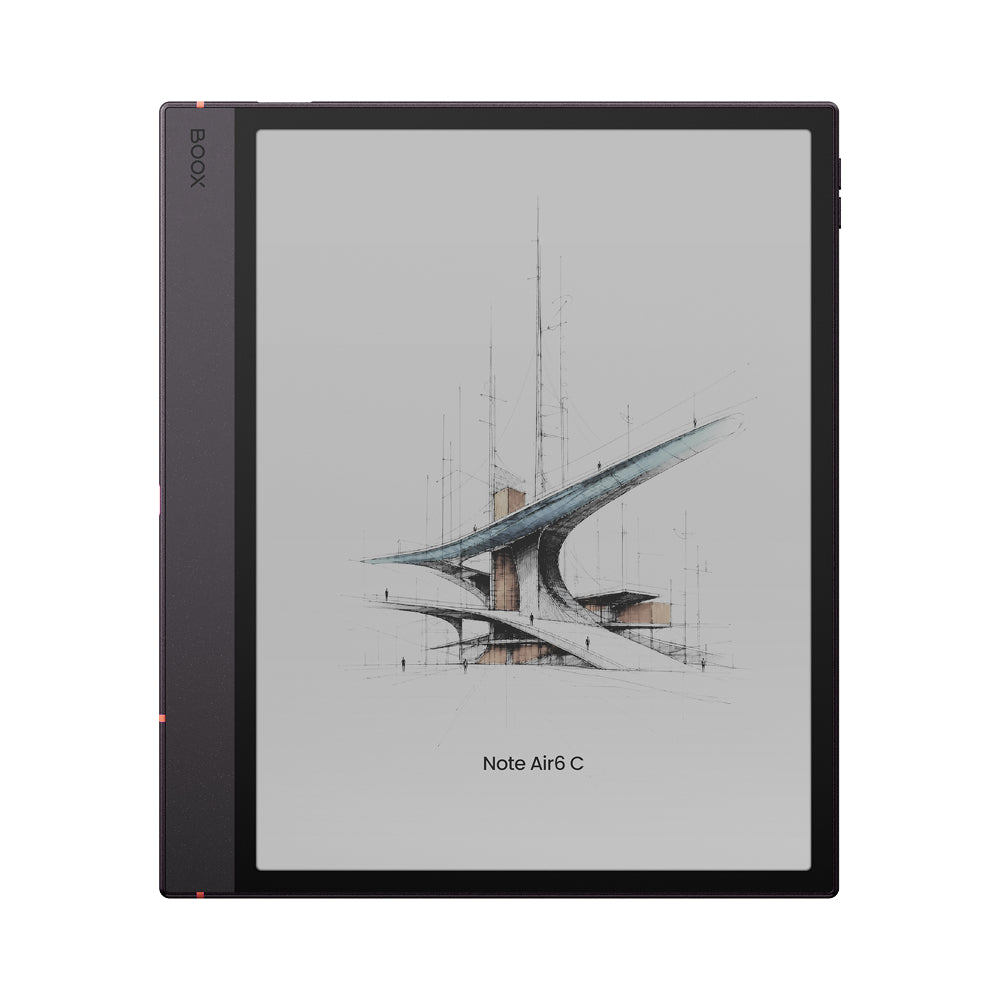
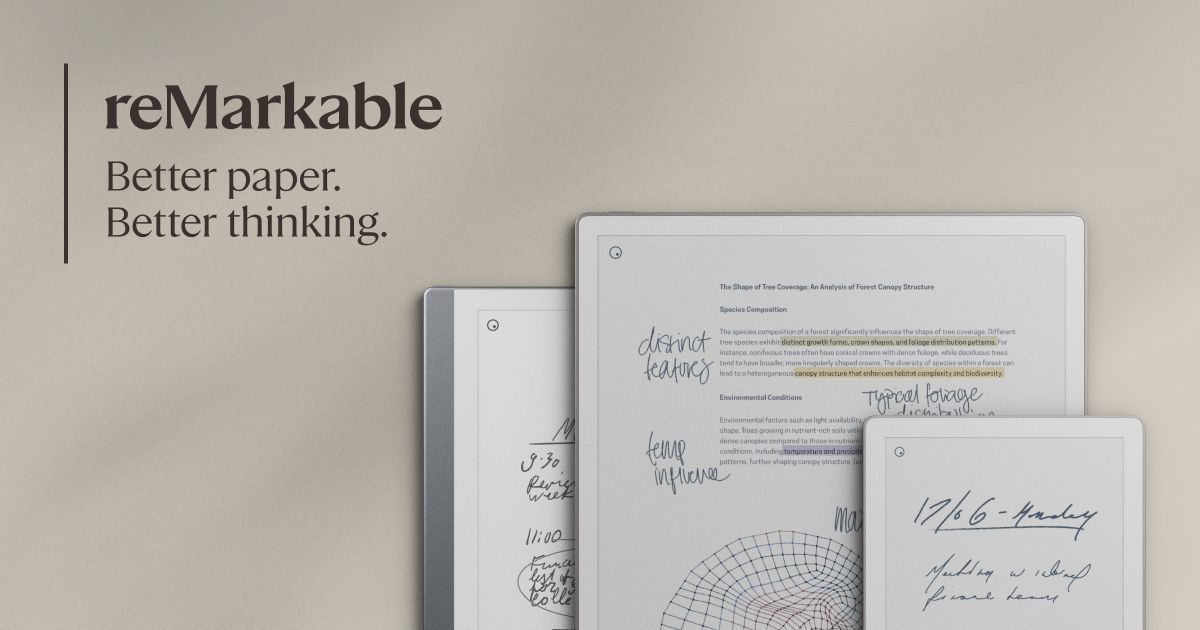
These products differ in size, software, apps, storage and workflow as well as display technology. Compare BOOX Note Air5 C and reMarkable Paper Pro for a fuller device-level decision.
WHAT EACH IS GOOD AT
Kaleido 3 keeps black text sharp and page turns brisk. If color is occasional, the softer 150ppi color layer matters less than the darker page background.
Both can separate headings, highlights and diagrams. Kaleido 3 favors faster navigation. Gallery 3 favors more direct colored marks if you can accept slower settling.
Kaleido 3 offers more device choice and quicker browsing, but neither method matches a modern LCD or OLED for saturation. Gallery 3's slower full-color updates can make rapid page skimming awkward.
Kaleido 3 is the established route. Fast refresh modes help scrolling, though they can add ghosting and reduce image quality. Gallery 3 is currently tied to much more focused software.
THREE EASY MISTAKES
Kaleido's 300ppi figure applies to black-and-white content, while its color figure is 150ppi. Paper Pro uses 229ppi across its specified display. What looks better depends on the content and the complete screen stack.
It does not. The display remains reflective E-Ink, with muted color and visible refresh behavior. Choose it for readable colored paper, not photo editing or video.
Maturity is useful. It has broad availability, predictable strengths and manufacturers that have spent years tuning refresh controls. Newer or rarer is not automatically better for your work.
TRY THIS BEFORE BUYING
BOTTOM LINE
Choose Kaleido 3 when you value quick navigation, sharp black text and a wide selection of devices. Choose Gallery 3 when colored handwriting and documents matter more than rapid color changes, and a focused reMarkable workflow already suits you.
If your real question is whether color is worth buying at all, start with our color E-Ink vs black-and-white guide. If the room is the problem, compare an E-Ink front light with no front light.
Checked October 4, 2026. Panel and product specifications can change, so confirm the exact model before buying.
E Ink Kaleido 3 technology and resolution ↗E Ink Kaleido layer structure ↗E Ink Gallery 3 particle method and update modes ↗reMarkable Paper Pro display specifications ↗BOOX Note Air6 C announcement and specifications ↗