Menu
DISPLAY GUIDE

E-Ink front light vs no front light: which should you choose?

Choose a front light if you regularly read or write after dark. Choose no front light if you work in reliable ambient light and value a simpler, paper-like screen above all-hours flexibility.

By YeinksPublished October 1, 20268 min read
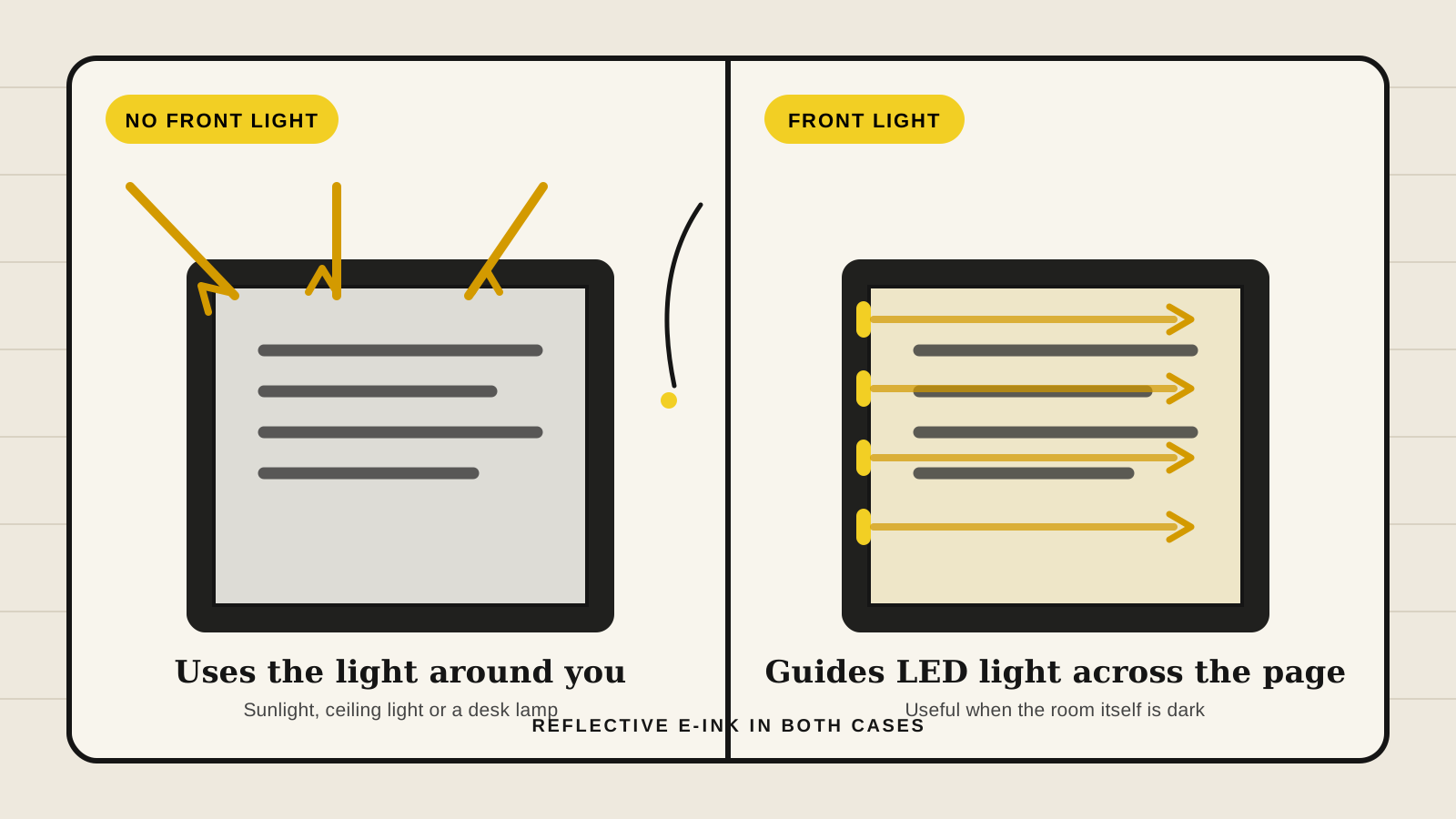
Diagram showing ambient light reflecting from an unlit E-Ink screen and LEDs guiding light across a front-lit E-Ink screen
A front light directs LED light across the display surface. An unlit E-Ink screen relies entirely on light already in the room. Illustration: Yeinks.

THE SHORT ANSWER

A front light buys flexibility. No front light keeps the screen simpler.

For most people who read at night, commute or move between rooms, the front-lit model is the safer choice. You can turn its light down or off when the sun is doing the work. A tablet without a front light is the more deliberate choice. It suits a bright desk, classroom or outdoor routine, and can make the digital ink look a little closer to the surface.

Do not confuse a front light with a phone or tablet backlight. E Ink says its light guide spreads illumination across the reflective display, with LEDs usually mounted at the edges. The light reflects from the page toward you instead of shining through the display from behind.

HOW THIS GUIDE WAS MADE

This is a specification-led guide, not a hands-on display test.

Yeinks has not compared every screen side by side. The guidance uses E Ink's technical explanation and current manufacturer specifications. The closest useful comparison is BOOX Go 10.3 Gen II: its Classic and Lumi versions share a 10.3-inch, 300ppi monochrome display, Android 15, 3,700mAh battery and 4.8mm body. Lumi adds dual-tone lighting and about 14g of listed weight.

DECISION TABLE

Start with the darkest place you use the device

Your regular situationBetter starting pointWhy
You read in bed or dim roomsFront lightThe tablet stays usable without a lamp, and warm and cool controls can make evening reading more comfortable.
You write mostly at a bright deskNo front lightGood room light already does the job, so the extra lighting system may solve a problem you do not have.
You travel and cannot control the roomFront lightHotels, trains and meeting rooms are unpredictable. Built-in lighting is easier than carrying or positioning a lamp.
You want the most paper-like viewNo front lightRemoving the light-guide layer can make the ink appear closer to the surface, although the exact result depends on the whole display stack.
You need the longest possible battery lifeIt dependsLighting uses power, but Wi-Fi, apps, refresh modes and page activity also matter. Compare complete devices, not one feature.

HOW IT WORKS

The light sits in front of the ink, not behind it.

An E-Ink panel is reflective. In daylight or under a lamp, ambient light hits the screen and reflects back to your eyes, much like printed paper. The image remains visible without a lamp inside the device.

A front-lit model adds a thin light-guide layer and LEDs around the edge of the display module. That guide spreads light across the face of the panel so the ink can reflect it. Many devices also mix cool and warm LEDs, letting you change the color temperature as well as brightness.

Turning the front light off does not remove its physical layer. That matters because the layer can subtly change how close the ink appears to the surface. It does not mean every unlit screen automatically has better contrast. Cover glass, anti-glare texture, touch layers, panel generation and software tuning all affect the result.

A USEFUL REAL-WORLD PAIR

BOOX sells almost the same tablet both ways

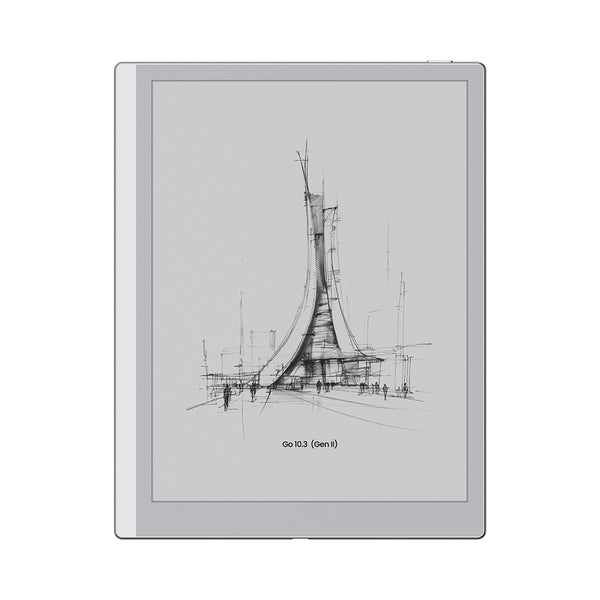
BOOX Go 10.3 Gen II monochrome E-Ink tablet
Go 10.3 Gen II ClassicNo front light, about 350g and 4.8mm thick. BOOX positions it for bright-room and outdoor use.Official product image: BOOX
SAME CORE DISPLAY

Classic or Lumi?

  • Classic: choose it for a clean unlit page and the lowest listed weight.
  • Lumi: choose it for adjustable warm and cool lighting in dim rooms.
  • Both: 10.3-inch monochrome, 2480 × 1860, 300ppi, Android 15 and a 3,700mAh battery.

The Lumi is listed at about 364g, only 14g more than Classic, and both are 4.8mm thick. A front light can affect a design, but it does not always make a current tablet dramatically thicker or heavier.

Read our BOOX Go 10.3 Gen II evidence review →

WHAT A FRONT LIGHT CHANGES

Convenience is the biggest difference

Dim rooms become practical

You can read in bed, take notes during a presentation or use the tablet on a night flight without pointing another light at the screen.

Warmth becomes adjustable

Dual-tone systems can shift from cooler white to amber. That changes visual comfort and page appearance, not the underlying E-Ink image.

Battery use becomes variable

More brightness means more power use. Manufacturers rarely provide a universal penalty because brightness, wireless activity and page changes vary so much.

WHAT NO FRONT LIGHT CHANGES

You accept the room in exchange for a purer setup

The page follows ambient light

Like paper, it looks excellent in sunshine and becomes difficult in a dark room. A desk lamp can be better than built-in lighting if you always work in one place.

There is one less display layer

Some no-light tablets can look more immediate, with ink closer to the pen tip. Treat that as a model-specific observation, not a guarantee for every unlit device.

It encourages a focused routine

Supernote Manta and reMarkable Paper Pure pair no built-in light with a handwriting-first approach. That is a design decision, but it may be inconvenient rather than calming if your room is dim.

BATTERY AND EYE COMFORT

Two common shortcuts are too simple.

“No light means vastly better battery.”

It removes lighting power use, but it does not control the processor, Wi-Fi, apps or refresh behavior. BOOX lists the same 3,700mAh capacity for Classic and Lumi, without promising a fixed real-use gap.

“Any front light is the same as an LCD.”

It is not. E Ink describes the light as guided across and reflected from the display rather than emitted through it toward your eyes. Still, comfort is personal. Use the lowest readable level and keep some room light if a bright page in a dark room feels harsh.

CURRENT DEVICE EXAMPLES

Lighting is often tied to a wider product decision

Kindle Scribe family

Amazon's current Scribe and Scribe Colorsoft have adjustable screen lights. The 16GB Kindle Scribe without Front Light is the daylight-focused alternative. Storage and color differ too, so lighting is not the only choice.

Compare the Kindle Scribe models →

reMarkable range

Paper Pro and Paper Pro Move include adjustable reading lights. Paper Pure has no reading light and relies on ambient light. The models also differ in size, color and accessories.

Compare the reMarkable range →

Supernote Manta

Manta has no front light. Its low weight, flexible body and note organization are the reasons to buy it. The missing light is a real drawback if your writing continues after the room gets dark.

Read the Supernote Manta evidence review →

TRY THIS BEFORE BUYING

Audit one ordinary week of light.

  1. Write down where you read and write: desk, sofa, bed, train, classroom or outdoors.
  2. For each place, note whether the light is reliable and whether you can position a lamp without glare or shadows.
  3. Count the sessions that happen after dark or in shared rooms where another lamp would be disruptive.
  4. If that happens more than occasionally, buy the front light. If every session has good ambient light, no front light is a reasonable specialist choice.

BOTTOM LINE

Most buyers should choose the front light. Daylight-first writers can confidently skip it.

A front light is easy to ignore when you do not need it and hard to improvise when you do. That makes it the practical default. Choose no front light when you know your environment, use a good desk lamp or work outdoors, and care enough about a simple display stack to accept the limitation.

If color is also part of your decision, read our color E-Ink vs black and white guide. Color technology, lighting and screen size are separate trade-offs.

Primary sources checked

Checked October 1, 2026. Product lineups and specifications can change, so confirm the exact model before ordering.

E Ink front-light technology explanation ↗BOOX Go 10.3 Gen II Classic and Lumi specifications ↗reMarkable range lighting comparison ↗Supernote Manta official display specifications ↗Amazon Kindle model identification and lighting features ↗